Webflow Cloud is useful when staying close to the Webflow site is useful.
That sounds obvious, but it is the distinction that matters. If a project does not need to live next to a Webflow site, a standalone application with its own database is simpler. Webflow Cloud becomes interesting when the brand site should stay where it is, and one part of it needs application logic that Webflow CMS cannot provide.
The signals
The problem is rarely “we need a more powerful CMS”. It is that part of the website has stopped behaving like content.
The data comes from another system: recruitment software like Greenhouse, a CRM, a product database. Pages have to be generated from thousands of records. Visitors need to search, filter or compare. The CMS is being used as a database and the collection limits are starting to shape the site. Those are the signs, and they usually show up early if you know to look.
What it is
Webflow Cloud runs a separate app on the same domain as the Webflow site. Webflow keeps the pages, the brand and the publishing. The app handles what Webflow can’t: pages generated from data, search, filters and forms. To the visitor it’s one website. Behind it, each part does the job it’s good at.
Code Components do the reverse: small pieces of custom code the team can place on a Webflow page like any other element, such as a live job list or a calculator.
Two cases
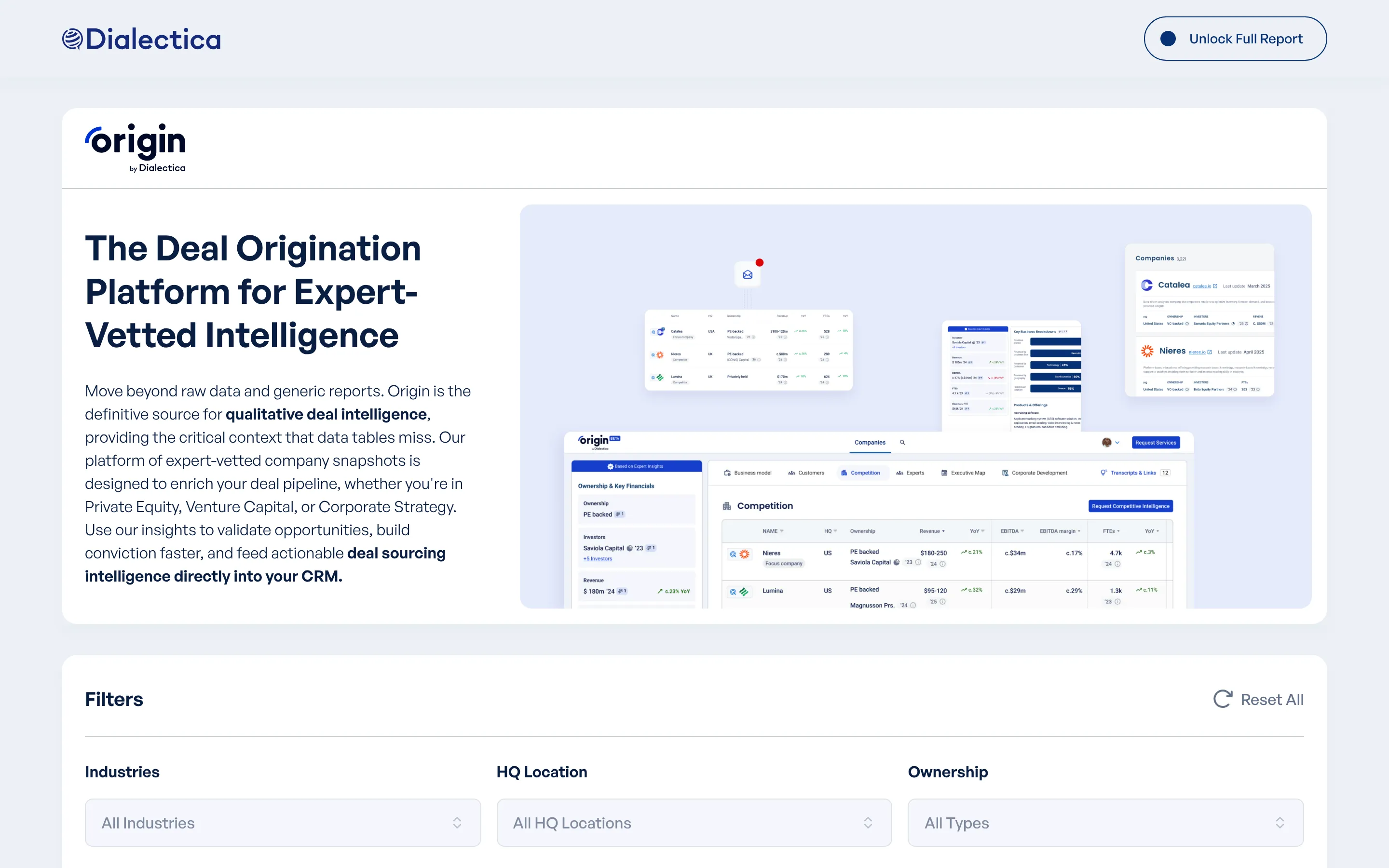
Dialectica Origin asked for their company database inside Webflow CMS. The data was connected, there were more than 1,500 companies, and the pages had to be indexable with the free and paid views of each profile. Webflow CMS was the wrong tool for that shape of data, but the product belonged on dialectica.io. I built Dialectica Origin on Webflow Cloud: its own database, a page for every company, filters and a first prototype in days. It’s built for 10,000+ records.
Dialectica Careers needed a job board that kept candidates on the site instead of sending them to Greenhouse. The Webflow page carries a Code Component that lists live jobs, and a Webflow Cloud application handles the detail pages and the application flow. Greenhouse stayed where the jobs are managed. Candidates never leave dialectica.io.
Good fits
Job boards fed by recruitment software. Searchable directories. Databases with public pages. Pages generated from structured records. Calculators and small tools next to a marketing site. The common thread is not the technology. It is that the feature benefits from the same domain, the same brand and the same path visitors are already on.
Poor fits
Webflow Cloud is not a reason to turn marketing pages into an application. If the page can be built in Webflow, build it in Webflow.
If the product is a full piece of software with accounts, permissions and a long roadmap, a standalone application is cleaner. If it is an internal tool with no connection to the public site, the Webflow relationship adds nothing. The question is whether being next to the Webflow site makes things simpler, not whether Webflow Cloud can technically run it.
Poor fits
- Marketing pages Webflow can build on its own
- Full software with accounts and a long roadmap
- An internal tool with no link to the public site
Good fits
- Job boards fed by recruitment software
- Searchable directories
- Databases with public pages
- Pages generated from structured records
- Calculators and small tools next to a marketing site
Keep the first release small
A product layer can grow in every direction, and that is the risk. Search leads to filters, filters to saved views, saved views to accounts. Sometimes that growth is right, but often it is premature.
The first release should be the smallest version that does something real: the data, the essential pages, the filters people actually need, and pages Google can read. Dialectica Origin launched that way and grew from a working foundation.
How I decide
Three questions. Does the feature need to live next to the Webflow site? Is Webflow the wrong place to store or process the data? Can a small application solve it without turning the website into a product?
01
Next to the site?
Does the feature need to live next to the Webflow site?
02
Wrong place for the data?
Is Webflow the wrong place to store or process it?
03
Small enough?
Can a small application solve it without turning the site into a product?
When all three answers are yes, Webflow Cloud is a good route. If a client’s brief shows any of these signals, it’s worth a conversation before the proposal goes out. When they are not, a simpler Webflow build or a standalone application is better, and I will say which. The Webflow page covers both.
Have a Webflow site that needs more than the CMS can do?
Send the context and I'll reply, usually within one working day, with a few questions.