3,200 publications, none of them typed by hand.
A research centre had to publish its researchers' work, from ORCID, against a deadline. I designed and built a Craft CMS portal in three months, with publications synced from ORCID.
- Client
- CIICESI - Instituto Politécnico do Porto · Research centre
- Role
- Design, Content architecture, ORCID integration, Craft CMS development, Annual maintenance
- Stack
- Craft CMS
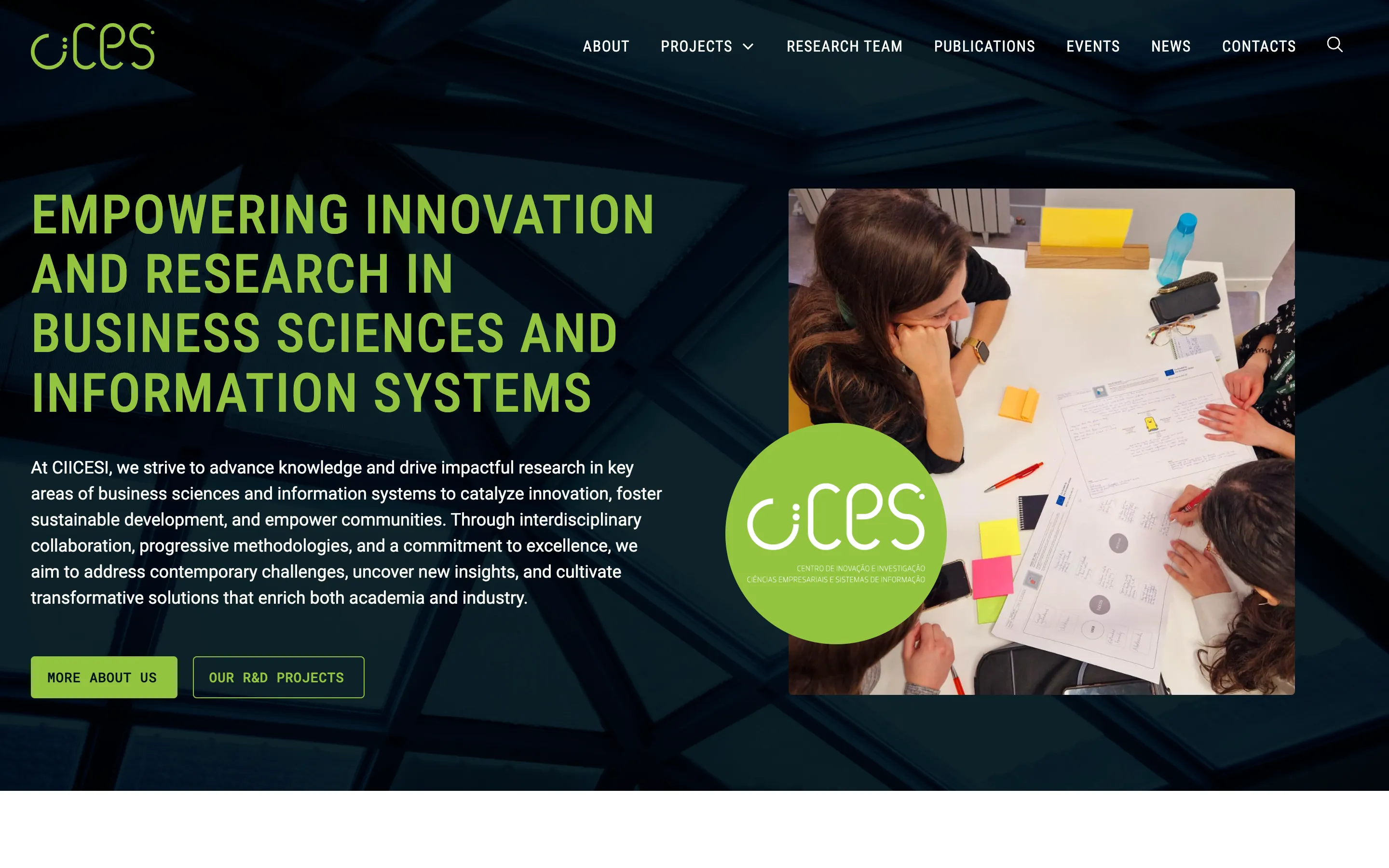
They asked for a platform that brought ORCID data into the research centre's website
They needed a portal built around the researchers, with their publications synced from ORCID at the press of a button.
In this case
ESTG, part of Politécnico do Porto, asked me for a platform that brought ORCID data into the website of CIICESI, its research centre. As a research centre, CIICESI is required by law to make that information public, and there was a deadline to present it to the right institutions.
The brief was clear, and so was the clock: three months from the first meeting to launch, design included.
Starting from the researchers
ORCID wasn’t optional, so I started there. Before deciding anything else, I had to understand what ORCID can send, and how.
ORCID organizes publications by person, so the site does too. Each researcher is an entry in Craft CMS with an ORCID ID, and publications, projects and profile details connect back to that entry. The researcher is the source of truth.
Events, news and projects are content the team writes itself. They’re ordinary Craft CMS sections, next to the researchers.
One button to update everything
Updating is deliberately simple. Someone on the team goes into Craft CMS and presses a button. For every researcher on the site, Craft CMS asks ORCID for their record and brings in the result.
It runs in two steps. First the profile: name, biography, links and other research identifiers come from ORCID, so the team doesn’t type them either. Then the publications.
The work was in the duplicates. A paper written by three people at the centre appears in three ORCID records, and sometimes more than once in the same record. The site recognizes the same paper by its unique identifier, keeps the version each researcher marked as preferred, and links one publication to every co-author from the centre. Authors from outside the centre are kept as names. Publications without that identifier are kept too, so nothing is lost.
What visitors see
The publication library can be searched as you type and filtered by researcher, type and year, without reloading the page. The filters only offer types and years that actually have publications, and the address updates as you filter, so a filtered list can be shared.
Each researcher’s profile has the same library, already filtered to their own work. Anyone looking at the centre can see who the researchers are and what they’ve published in a couple of clicks.
Three months, then the team’s
I designed and built the site. The content (profiles, events, news) was the client’s, and their team entered it into the structure I set up.
It went live three months after the first meeting, in time for the deadline. Since then the team has run it on its own, and we have an annual maintenance agreement. The publications have grown to more than 3,200, and the same Craft CMS install now also runs a second ESTG site, for its Industry Business School.
Under the hood
- Craft CMS, with one entry per researcher holding their ORCID ID
- A custom module that calls the ORCID API for each researcher, with the results imported through Feed Me
- Profiles first, then publications in batches of 100
- Duplicates merged by DOI, the preferred version kept, ORCID put-codes for publications without a DOI
- Search as you type and filters with Sprig, with the filtered state in the URL
- A second ESTG site in the same Craft CMS install
What changed
Four things that are different now.
01
Publications without data entry
Each researcher has an ORCID ID in Craft CMS. One sync brings in their profile, their publications, co-authors and publication types.
02
Researchers at the centre
The researcher is the source of truth. Publications, projects and profile details all connect back to the researcher's entry.
03
A library visitors can search
Publications can be searched as you type and filtered by researcher, type and year, without reloading the page.
04
Run by the centre's team
Events, news, projects and profiles are managed in Craft CMS by the team, with an annual maintenance agreement behind them.
We need someone who stays